
A badge that says seven when you have two unread messages, or one that insists on three long after you cleared everything, undermines the one job badges exist to do: telling you, at a glance, what needs attention. Wrong notification badge counts in Smart Launcher 6 are rarely a counting bug in the simple sense. A badge is the end of a chain — an app posts notifications, Android’s notification system holds them, a listener service reads them, and the launcher draws the number — and the count can go wrong at any link. It can also be honestly different from the number inside the app, because badges and in-app counters count different things. This guide walks the chain. The rest of our unofficial series is linked from the APKBZ home page.
Start by learning what the badge is actually counting
On most Android setups, a launcher badge reflects notifications currently in the notification shade for that app — not the app’s internal unread total. That distinction explains several classic mysteries. Read your messages on a computer, and the app’s own counter falls to zero, but the phone’s notifications may remain in the shade, so the badge stays up until they are dismissed. Conversely, an app that posts one grouped, summary notification for ten messages may produce a badge of one. Neither is a malfunction; it is two systems counting two different sets. Before fixing anything, compare three numbers: the badge, the notifications actually in the shade for that app, and the unread count inside the app. If badge and shade agree, your chain is healthy and the difference is definitional.
If the badge disagrees with the shade — higher, lower, or stuck after you cleared the shade — then you have a genuine fault to chase, and the steps below apply. Note whether it is one app or all apps: one wrong app indicts that app’s notification behaviour; all apps wrong indicts the listener or the launcher.
Link 1: Notification Access and the listener
Smart Launcher can only count what it is allowed to read. That permission is Notification Access, granted under Settings > Notifications > Special app access > Notification access (the path varies slightly by maker). Updates, battery-saver episodes and permission clean-ups can revoke or suspend it. If every badge is wrong or missing, re-check this grant first, and if it appears on but badges are stuck, toggle the listener off and on to restart it cleanly. Our batch-1 guide to badges disappearing after battery saver mode covers the saver-specific version of this break; the listener logic is identical, and a stuck count and a missing badge are cousins — both are a listener that stopped reporting accurately.
Treat these numbers as a starting point: apply them in Smart Launcher 6 under Settings → Home screen → Grid, use the layout for a day, then nudge one value at a time — your wallpaper, widget sizes and one-handed reach all shift what feels right.
Link 2: the launcher being killed loses the count
Badge state lives with the launcher and its listener. If your phone’s battery manager kills Smart Launcher, the count it was holding can be lost, frozen at its last value, or rebuilt imperfectly on restart from whatever is in the shade at that moment — notifications you already dealt with on another device may be recounted, and already-dismissed ones cannot be. If wrong counts arrive alongside home-screen reloads or stale widgets, treat residency as the prime suspect: set the launcher to Unrestricted battery use, add it to your maker’s never-sleeping or autostart lists, and test for a day. The full exemption pattern is set out in our guide to stopping OEM battery savers from killing the launcher, and the same sleep problem makes widgets stale in our sibling piece on widgets that stop updating — background hostility rarely breaks just one feature.
Link 3: the app’s own notification behaviour
When only one app miscounts, examine how that app notifies. Some apps post persistent or silent notifications that a launcher may count differently from alerts. Some post a fresh notification for every event but never withdraw old ones when you read messages elsewhere. Some — especially chat and mail apps with multiple accounts, cloned copies or work-profile twins — are really two apps wearing one icon, and the badge may reflect only one profile’s notifications. Check inside the app for its own badge or notification settings, check whether you are running a cloned or work copy, and check the app’s notification channels in system settings: a channel set to silent or low importance may still post to the shade in ways that surprise the count.
A practical test: clear the app’s notifications from the shade, confirm the badge clears, then trigger exactly one new event — send yourself a message from another device — and watch the badge. A correct step from zero to one says the chain works and earlier errors were accumulated state. A jump to three says the app is posting more than it appears to, and the shade will usually show you what.
Resetting a stuck count without nuking your setup
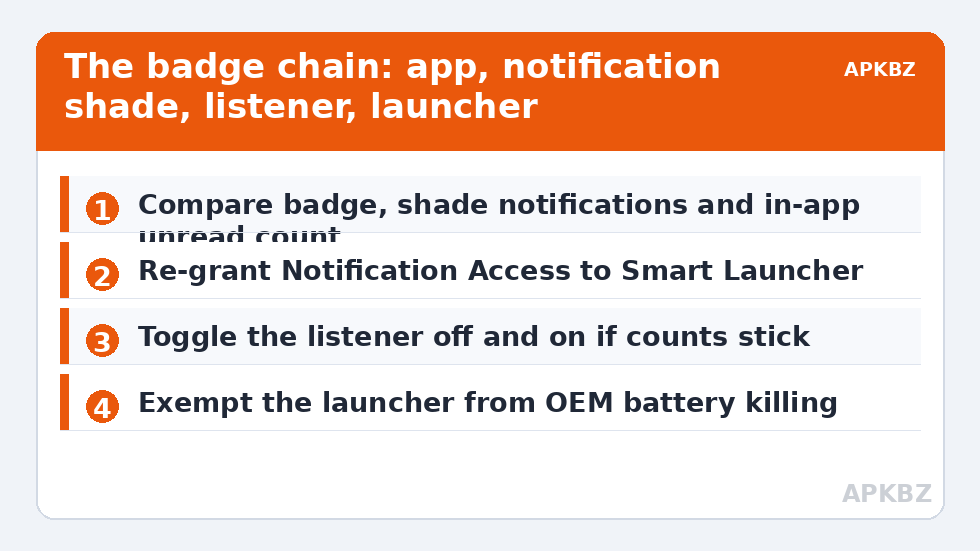
- Clear the shade fully and check whether the badge follows. If it does, the system is consistent and the difference was definitional.
- Toggle Notification Access off and on for Smart Launcher to restart the listener.
- Restart Smart Launcher or reboot once to rebuild badge state from the current shade.
- Clear Smart Launcher’s cache only if the count remains stuck — never data without a backup, since data holds your layout.
- Test one app at a time with a single controlled notification before declaring victory.
What not to do: do not install a badge-fixer app — third parties cannot reach into this chain legitimately — and do not clear the problem app’s data as an early step, since that signs you out and discards its local state to solve what is usually a counting or permission issue. If the overnight hours are when counts go wrong, also read the sibling guide to overnight standby drain: a launcher being killed in the night explains both the drain and the morning’s imaginary messages.
| Badge behaviour | Most likely link | First check |
|---|---|---|
| Badge matches shade, not in-app unread | No fault — different definitions | Dismiss shade notifications to clear the badge |
| All badges stuck or missing | Listener or Notification Access | Re-grant access; toggle the listener |
| Counts wrong after sleep or saver mode | Launcher being killed | Full battery exemption stack |
| One app always over-counts | That app’s posting behaviour | Inspect its shade notifications and channels |
| Badge shows a dot, not a number | Badge style setting | Switch badge style to numbered in launcher settings |
When the count is right but still feels wrong
There is a final category worth naming, because it generates many support questions: the badge is technically accurate, yet it annoys you. Group chats that notify for every reaction, a mail app that posts a notification per message across four accounts, a shopping app whose ‘notifications’ are mostly promotions — all produce honest badges you experience as noise. That is not a counting fault, and no repair in this guide will change it, because the fix is editorial rather than technical. Set those apps’ promotional notification channels to silent or off in system settings, mute the specific conversations, or switch that app’s badge style off in the launcher while keeping its real alerts. Badges earn their place by being trustworthy and worth glancing at. Curating which apps are allowed to put a number on your home screen is as much a part of fixing badges as any permission, and it is the part owners most often skip because they assume the count itself must be broken.
Frequently Asked Questions
Why does my badge show more messages than I actually have unread?
Because the badge usually counts notifications sitting in your notification shade, not the app’s internal unread total. If you read messages on another device, the app’s counter falls but the phone’s notifications remain until dismissed, so the badge stays higher until you clear the shade.
Why is only one app’s badge count wrong?
A single wrong app points to that app’s notification behaviour: it may post multiple or persistent notifications, fail to withdraw old ones, or be running as a cloned or work-profile copy. Clear its shade notifications, send yourself one test message, and watch whether the badge steps correctly from zero to one.
How do I reset a badge that is stuck and will not clear?
Work gently: clear the notification shade, toggle Smart Launcher’s Notification Access off and on, then reboot once. If the count is still stuck, clear the launcher’s cache only. Avoid clearing data — yours or the app’s — until these reversible steps have been tried.
Can battery saver mode mess up badge counts?
Yes. If the battery manager kills the launcher or suspends its notification listener, badge state can be lost or frozen. Exempt Smart Launcher from battery optimisation and your maker’s sleep lists, and re-check Notification Access after any saver episode or system update.
Why do some apps show a badge of 1 when I have many messages?
Some apps post a single grouped notification summarising many events, and the badge reflects the notification, not the events inside it. That is the app’s design choice rather than a launcher fault, and it can only be changed in the app’s own notification settings, if at all.


