A dark home screen with neon icons is the easiest look to fall for in a screenshot and the easiest to get wrong on your own phone. Done well, it feels like a quiet arcade at night: deep black wallpaper, electric edges, nothing shouting. Done badly, it is a drawer full of glowing signs competing for attention, half of them unreadable outdoors. This roundup is not a list of download charts. It describes the main families of neon and glow packs you will find, what each family actually does to your icons, and the checks that separate a pack you will keep for a year from one you will delete by Friday.
The four neon families, and how they differ
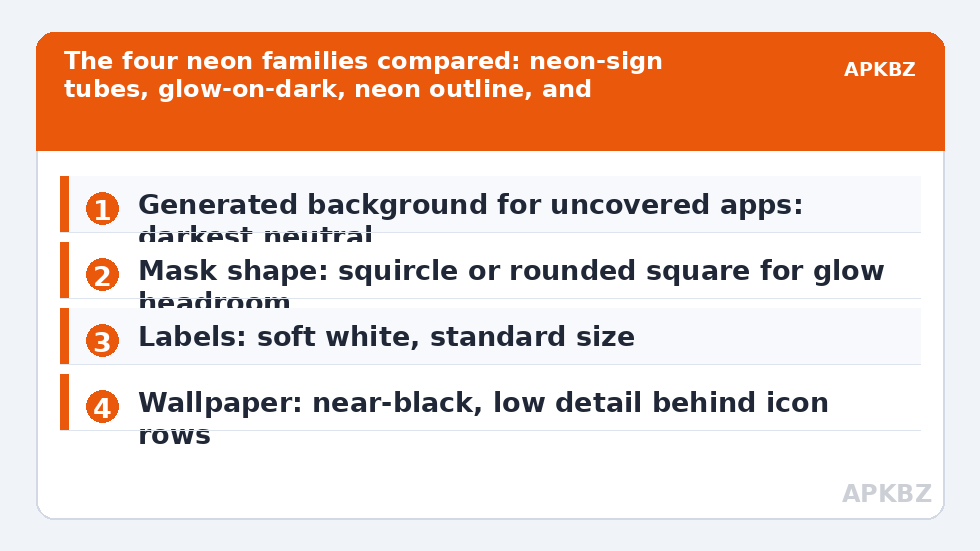
First, there are true neon-sign packs, where each glyph is drawn as a thin glowing tube on a black or transparent tile. These give the purest night look and the weakest daylight legibility, because a one-pixel cyan line is a suggestion, not a shape, in sunlight. Second, glow-on-dark packs keep solid, filled glyphs in saturated colour and add a soft halo behind them on a dark tile. They read far better at small sizes and in bright rooms, at the cost of a slightly less “sign” like effect. Third, neon-outline packs borrow the language of line icons — consistent stroke, no fill — and colour the stroke; they pair beautifully with a plain black wallpaper and are the connoisseur’s choice. Fourth, retro synthwave packs wrap everything in magenta-cyan gradients and chrome-era colours; they are a whole aesthetic commitment, wallpaper included, rather than a neutral icon choice.
Notice what is not on that list: packs whose screenshots glow because the wallpaper glows. Neon artwork cannot lend its light to your other surfaces. Judge any pack by its drawer view on a plain dark background, ideally the pack’s own preview with the marketing wallpaper stripped away in your mind. If the icons still hum on their own, the pack is real. If the magic evaporates, you were admiring a wallpaper.
Treat these numbers as a starting point: apply them in Smart Launcher 6 under Settings → Home screen → Grid, use the layout for a day, then nudge one value at a time — your wallpaper, widget sizes and one-handed reach all shift what feels right.
What to check before installing any glow pack
| Check | Good sign | Warning sign |
|---|---|---|
| Stroke consistency | Same line weight across common glyphs | Some icons hair-thin, others chunky |
| Fallback handling | Uncovered apps get a dark generated tile | Uncovered apps appear on bright white tiles |
| Tile transparency | Stated clearly; matches your wallpaper plan | Screenshots hide whether tiles are transparent |
| Update history | Recent release notes mentioning new icons | No update in years; newer apps will be missing |
The fallback row matters more than the artwork row. On a dark setup, a single uncovered app rendered on a white generated background is not a small flaw; it is a torch in a cinema. Smart Launcher lets you set the generated background colour for uncovered icons, so prefer packs whose style tolerates a near-black fallback tile, and read our guide to icon packs that change with dark mode if you want the whole set to follow your system theme. Coverage depth matters for the same reason: a neon pack covering your thirty most-used apps and abandoning the rest will look broken in the drawer even if the home screen is perfect.
Pairing neon icons with wallpaper, labels, and shape
Neon needs darkness and space. Choose a wallpaper that is genuinely dark — not a moody photo with a bright horizon — and keep the busiest area of the image away from your icon rows. A subtle vignette or a near-black gradient outperforms a detailed cyberpunk cityscape, because the icons are supposed to be the city lights. For labels, the elegant choice on a glow setup is soft white or a very light grey text; coloured labels under coloured glowing glyphs quickly become soup. If you are editing label presentation anyway, our companion guide on changing icon label font, size and colour covers the trade-offs in Smart Launcher specifically.
Shape is the quiet decision. Thin neon tubes look best inside roomier masks — a rounded square or squircle gives the tube corners to breathe — while tight circle masks can clip the glow halo on wider glyphs. Set the shape after applying the pack and walk away for a day before judging; neon sets have a novelty glare that fades, and what remains is either a calm night instrument panel or a headache. More shape reasoning lives in our guide to icon size, shape and shadow, and it applies to glowing packs exactly as it does to ordinary ones.
Readability, battery talk, and other honest notes
Let us deal with the battery claim head-on, because neon packs attract it. On an OLED screen, black pixels are off, so a truly black wallpaper saves some power; the icons themselves are a tiny fraction of your screen’s lit area and their glow is drawn, not emitted neon. Buy a glow pack for the look, not the battery graph. Readability is the real cost centre. Test your setup in three lights before committing: indoors at night, indoors by day, and outside. If you squint in any of them, switch from a tube-style pack to a filled glow-on-dark pack before you blame your eyes. Also consider a two-speed arrangement many users land on, linked from our home page guides: neon on the home screen where you choose every icon, and a calmer, higher-coverage set’s colours in the drawer via per-icon discipline — although Smart Launcher applies one pack globally, you can exempt nothing there, so in practice the honest version is choosing one pack that survives both surfaces.
A last honesty note about screenshots in store listings: they are rendered at sizes your phone will never use, on wallpapers you do not own. The packs described here are families and styles, not ranked products, because rankings built on store ratings reward age and marketing more than drawing quality. Your drawer, your wallpaper, your lighting: audition two candidate packs for a day each. The one you stop noticing — in the good way — is the right one.
A worked example: building a calm neon setup
Consider a realistic sequence. You start with a near-black wallpaper with a faint blue gradient low in the frame, keeping the top two-thirds empty. You apply a filled glow-on-dark pack rather than a tube pack, because your phone spends its days in a bright office. You set the mask to squircle, the generated background for uncovered apps to the darkest neutral the pack tolerates, and labels to soft white at standard size. Then you audit: the drawer in daylight, the home screen at night, and three uncovered apps that arrived on pale tiles and were overridden with in-pack generic glyphs. What remains is not the loudest neon setup on the internet. It is one you can read at a bus stop in July, and that restraint is precisely why it still looks good in October.
Notice how few decisions that took: one wallpaper discipline, one pack family, one shape, one fallback colour, three overrides. Neon setups fail by accumulation — a glowing wallpaper, glowing widgets, coloured labels, an animated background — each addition reasonable, the total exhausting. If your current attempt feels loud, remove elements in that order before you change packs. Most users discover the pack they already own was adequate; it was simply performing on a stage crowded with other neon. A dark setup should feel like a room with the lights lowered, not a street of competing signs, and the difference is subtraction, not shopping.
Frequently Asked Questions
Do neon icon packs save battery on OLED phones?
Only marginally, and mostly through the dark wallpaper that usually accompanies them. The icons cover a small part of the screen, and their glow is ordinary coloured pixels. Choose a neon pack because you enjoy the look in your normal lighting, not as a battery strategy.
Why do my neon icons look washed out in daylight?
Thin glowing strokes have low contrast against bright ambient light, and many phones also raise screen brightness in a way that flattens saturated colours. Filled glow-on-dark icons survive daylight far better than tube-style outlines. If daylight use matters to you, pick the filled family and a tile with real darkness behind the glyph.
What wallpaper works best with glow icons?
A genuinely dark, low-detail wallpaper: near-black gradients, subtle vignettes, or very dark abstract textures. Busy neon cityscapes compete with the icons instead of supporting them. Keep the darkest, emptiest part of the image behind your main icon rows and let the icons supply the colour.
Can I mix neon icons with a normal pack?
Smart Launcher applies one pack globally, but you can override individual icons from another pack using the per-icon editor. A common arrangement is a neon pack as the base with a few readability-critical apps — maps, camera, dialer — overridden with bolder icons. Keep overrides few, or the night look fragments.