
Most icon pack roundups are thinly disguised ad galleries. This one has a stricter filter: every pick is open source, ad free, and carries no advertising — which in practice means F-Droid is the natural home for most of them. Open-source packs earn trust differently from commercial ones. You can inspect the licence, watch the repository for activity, file an icon request in public, and know the pack will not be sold to an ad network next year, a fate that has befallen more than one beloved “free” pack. Here are the top 10 open-source ad-free icon packs for Android launchers, judged on the things that matter daily: coverage, style consistency, maintenance, and how cleanly they behave inside launchers like Smart Launcher 6.
Open source, ad free icon packs for Android: how this list was judged
Four criteria, in order. Licence and provenance: genuinely open-source artwork and code, distributed through F-Droid or the Play Store with the source available. Design system: one coherent drawing style on a shared grid — the quality that separates a pack from a pile of icons, as the criteria in monochrome pack selection also stress. Coverage and requests: icon count matters, but so does a working request process, since your obscure apps decide whether a setup survives contact with reality. Launcher compatibility: standard appfilter-based packs apply in Smart Launcher and most third-party launchers without drama. Inclusion is not an endorsement of every aesthetic — styles here range from hairline outlines to flat Material colour — but each is a legitimate, maintained piece of work obtained from its official channel.
| Pack | Style in one line | Best for |
|---|---|---|
| Arcticons | Thin-line monochrome outlines, huge library incl. a “You” variant | Minimalists; the benchmark open pack |
| Delta (open builds via F-Droid ecosystem) | Muted, desaturated pastel takes on brand icons | Soft, calm colour setups |
| Moonshine | Flat Material-era colour with long shadows’ cleaner successor look | Stock-like but fresher home screens |
| OpenPack / community Material sets | Straightforward Material Design glyphs | Users who want “default, but tidy” |
| Victicons & similar line sets | Consistent outline style, modest coverage | Small libraries, focused setups |
| Frost / monochrome forks | White glyph work for dark themes | AMOLED and night setups |
| Retronika-style community packs | Muted retro colour palettes | Themed retro desktops |
| Crayon-style open adaptations | Rounded, friendly, slightly playful colour | Casual, bright themes |
| Paper / texture community sets | Flat icons with subtle texture | Wallpaper-forward designs |
| Icon Pack Studio generated sets | Your own conversion of any owned pack | Guaranteed coverage of your exact library |
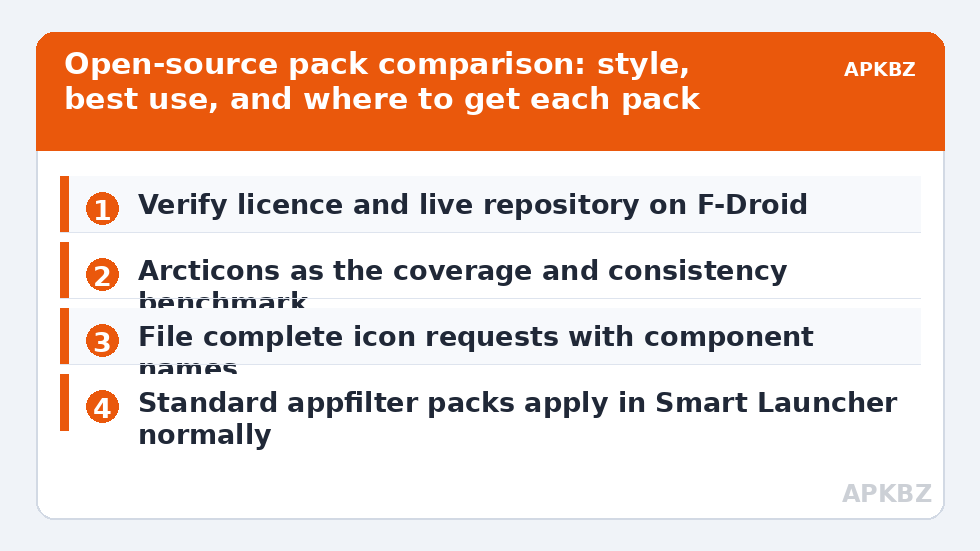
A note on honesty: the open-pack ecosystem changes — projects pause, forks appear, names collide. Verify the current maintainer on F-Droid before committing, and prefer the listing whose repository shows recent commits. The table favours families and styles that have demonstrated staying power over one-season releases.
Arcticons deserves its own paragraph
If you try one pack from this list, try Arcticons. It is drawn entirely in a single line style — one stroke weight, one corner language, one optical size — across thousands of apps, with new icons merged from public requests continuously. It ships in black and white variants, and its consistency is so strict that even its fallback generics look intentional. In Smart Launcher it masks cleanly at any shape because the glyphs are true foreground art on transparency. Its limitation is the flip side of its virtue: line icons carry less instant brand recognition than full-colour logos, so pair it with labels on for the first weeks. For many users in the Icon Customization readership, Arcticons plus Smart Search is the endgame minimal setup.
Applying open packs in Smart Launcher, and their quirks
The application route is identical to any pack — install, then pick it under Icon appearance — but two quirks deserve warning. First, dashboard features vary: some open packs lack the polished request tool of commercial rivals and take requests through their repository or a companion app instead. Second, dynamic calendar support is patchier; if the date on your calendar icon matters, test it on day one. Neither quirk is disqualifying. What you gain in exchange is significant: no ads in the pack’s own app, no analytics phoning home from a wallpaper-adjacent utility, and artwork licensed so that your generated variants and mashups stay legal.
Treat these numbers as a starting point: apply them in Smart Launcher 6 under Settings → Home screen → Grid, use the layout for a day, then nudge one value at a time — your wallpaper, widget sizes and one-handed reach all shift what feels right.
The licence point, briefly and practically
Open-source does not mean “no rules”; it means the rules are written down. Most packs here use licences like GPL or Creative Commons variants that happily allow personal use, modification, and generated derivatives — the Icon Pack Studio conversions elsewhere on this site, for instance — while restricting commercial redistribution. Read the one-paragraph summary in the F-Droid listing and you will be within the lines for any normal home-screen use. This is the quiet advantage over scraping icons from random websites: provenance you can state, artwork you may keep, and authors you can actually thank or tip.
Keeping an open pack healthy: updates, requests, and giving back
Open packs are commons, and commons reward light stewardship. Turn on update notifications for F-Droid so new icon drops actually reach you; coverage grows monthly in active projects, and that app which fell back to a stock icon in March may be themed by May without you doing anything. When you file a request, file it once and completely — duplicates clog trackers and slow the very coverage you want. If a pack anchors your setup, the donation links in its repository are not decoration: icon drawing is skilled, tedious labour, and the going “price” of these packs is zero only because a few users treat it as a suggestion. Finally, share your mappings wisdom: when a pack mis-maps an app variant (a regional build, a beta channel), reporting the correct component name improves the pack for every user of that app, everywhere. That feedback loop — public, cumulative, inspectable — is the actual product you are choosing when you choose open source, and it compounds in your favour every month you stay.
A note on forks, stale listings, and name collisions
Popularity invites imitation. A successful open pack accumulates forks (legitimate, when they credit and license properly), abandoned mirrors, and outright copycat listings trading on its name — some of which are neither open nor ad-free. Protect yourself with three checks that take a minute: the F-Droid listing should link to a live source repository; the repository’s recent history should show real commits, not a single upload; and the stated licence should match the one in the repo. If any check fails, you have found a tribute act, not the band. This small hygiene matters beyond icons — it is the general skill of telling open source from open-washing, and your home screen is a fine place to practice it.
Frequently Asked Questions
Are open-source icon packs really free with no ads?
The ones distributed through F-Droid are: F-Droid’s policies require free software and flag anti-features like advertising and tracking in listings, so a clean listing is a meaningful signal. Some packs also appear on the Play Store in free or donation-supported forms. If a listing shows ads or in-app purchases, it is a different (commercial) build — read before installing.
How do I request an icon for my obscure app in an open pack?
Usually through the project’s issue tracker or a built-in request tool that generates the app’s component information for you. Good requests include the app name, its Play Store or F-Droid link, and its activity/component name — the identifier packs map icons to. Polite, complete requests genuinely get drawn; maintainers prioritise by demand.
Do open-source packs work in Smart Launcher 6?
Yes. They use the same appfilter/dashboard conventions as commercial packs, so Smart Launcher lists and applies them like any other. Occasional extras differ — dynamic calendars and request dashboards vary by project — but the icons themselves, masking, and per-icon editing all behave normally.
Which open pack has the best coverage?
Arcticons is the usual coverage leader among strictly open packs, with several thousand icons and active request handling. Even so, no pack covers everything; budget for a handful of fallback icons or per-icon overrides for your most obscure apps, whatever pack you choose.
Is it legal to modify an open-source pack with Icon Pack Studio?
For personal use, generally yes — open licences are written to permit modification, and generating a recoloured variant for your own phone is squarely normal use. Redistribution is where conditions bite: licences may require attribution or share-alike terms. Keep your conversions on your own devices and you are comfortably within the spirit and the letter.